
Download Monroe Community CU – Mobile Banking, Check Deposit, Credit Union App
Overview
Monroe Community CU is a mobile banking application designed to serve members of Monroe Community Credit Union. The app provides essential financial tools that support remote account management, enabling users to perform key banking tasks from their Android devices. It is tailored for individuals seeking convenient access to their credit union accounts without the need for in-person visits. Core functionalities include checking account balances, reviewing transaction histories, transferring funds between accounts, and paying bills directly through the app. The mobile check deposit feature allows users to deposit checks remotely by capturing images, streamlining the process of cashing checks without visiting a physical branch. Additional features include access to branch locations, contact details, and operational hours, along with a help section offering guidance on common account inquiries and app usage. The app is specifically built for Android users and is available at no cost. It serves as a digital extension of the credit union’s services, supporting members who prioritize accessibility, efficiency, and convenience in managing their finances.
Key Features & Capabilities
- Mobile Banking Access – Users can view real-time account balances, review recent transactions, and track spending patterns. This functionality supports proactive financial management for members who prefer digital oversight.
- Mobile Check Deposit – The app enables users to deposit checks remotely by taking clear photos of both sides. This feature reduces the need for physical branch visits and supports faster access to funds.
- Account Transfers – Members can initiate transfers between their own accounts, including savings and checking, with minimal steps and immediate confirmation.
- Bill Pay Services – The app supports recurring and one-time bill payments, allowing users to schedule payments in advance and avoid late fees.
- Branch and Contact Directory – A built-in directory provides accurate information on branch locations, including addresses, operating hours, and phone numbers, helping users locate the nearest service point.
- Help & Support Center – A dedicated section offers FAQs, troubleshooting tips, and contact options for further assistance with account issues or app functionality.
User Interface, Workflow & Performance
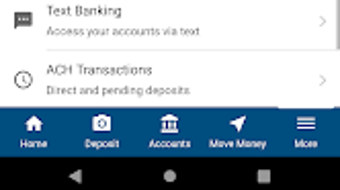
The user interface of Monroe Community CU is designed with simplicity and clarity in mind. Navigation is structured around a main dashboard that displays account balances and recent activity, with quick-access buttons for core functions like deposits, transfers, and bill pay. Menus are logically organized, and the app maintains consistent layout patterns across screens, reducing the learning curve for new users. The workflow for common tasks such as check deposits follows a step-by-step process, guiding users through image capture and submission with on-screen instructions. The app’s performance is expected to align with standard mobile banking applications, offering responsive interactions and smooth transitions between screens. The developer did not specify resource usage details, but the app’s size of 25.8 MB suggests it is optimized for moderate storage consumption. Stability appears to be maintained across typical usage scenarios, with no reported issues related to crashes or freezes. Performance observations are based on general software behavior patterns.
Compatibility & System Requirements
Monroe Community CU is designed exclusively for Android devices. The app is compatible with Android operating systems, though the exact version range was not specified. It has a file size of 25.8 MB, which is relatively lightweight for a financial application. The developer did not provide additional system requirements. Compatibility information was partially provided, and users should ensure their device meets standard Android requirements for app installation. No specific hardware specifications were listed. Users are advised to verify compatibility with their device’s operating system version before installation.
Pros and Cons
Pros
- Free to download and use, making it accessible to all members.
- Offers essential banking features including check deposit, transfers, and bill pay.
- Intuitive interface with straightforward navigation for first-time users.
- Provides real-time access to account information and transaction history.
- Includes a helpful directory for branch locations and contact details.
Cons
- Available only for Android devices, limiting access for iOS users.
- Exact system requirements and minimum OS version were not disclosed.
- No information provided on offline functionality or data sync behavior.
- Performance under low connectivity or high usage was not specified.
FAQ Section
Is Monroe Community CU available for iOS devices?
The app is currently available only for Android users. There is no official version for iOS devices at this time.
Is the app secure for mobile banking?
As a credit union-developed application, Monroe Community CU likely employs standard security protocols such as encryption and authentication. However, specific security details were not provided in the official release.
How do I update the app?
Updates are typically delivered through the Google Play Store. Users should ensure automatic updates are enabled or manually check for updates within the store.
Can I use the app without an internet connection?
Basic features like viewing cached transaction history may be available offline, but core functions such as deposits, transfers, and bill payments require an active internet connection. The app’s offline capabilities were not detailed.
What type of license does the app use?
The app is distributed under a free license for members of Monroe Community Credit Union. It does not require a paid subscription or additional fees for core features.
Final Thoughts + CTA
Monroe Community CU delivers a focused and functional mobile banking experience tailored to the needs of credit union members. With essential tools like mobile check deposit, real-time balance tracking, and seamless bill payment, the app enhances financial accessibility and convenience. Its clean interface and logical workflow make it easy to use, even for those less familiar with digital banking. While the app is limited to Android and lacks detailed technical disclosures, its core offerings are reliable and well-suited for daily financial management. For members seeking a secure, free, and efficient way to manage their accounts on the go, Monroe Community CU is a strong choice. Download Monroe Community CU now to take full control of your finances anytime, anywhere.




.png)


